A bug reporting tool where every report is actionable
Most bug reports arrive as a vague sentence and a lot of back-and-forth. fixThatMe is a bug reporting tool that captures the context for you: the reporter frames the problem on screen, and you receive the screenshot, the full-page capture, the URL, the browser, the viewport and the page HTML at the moment the bug happened.
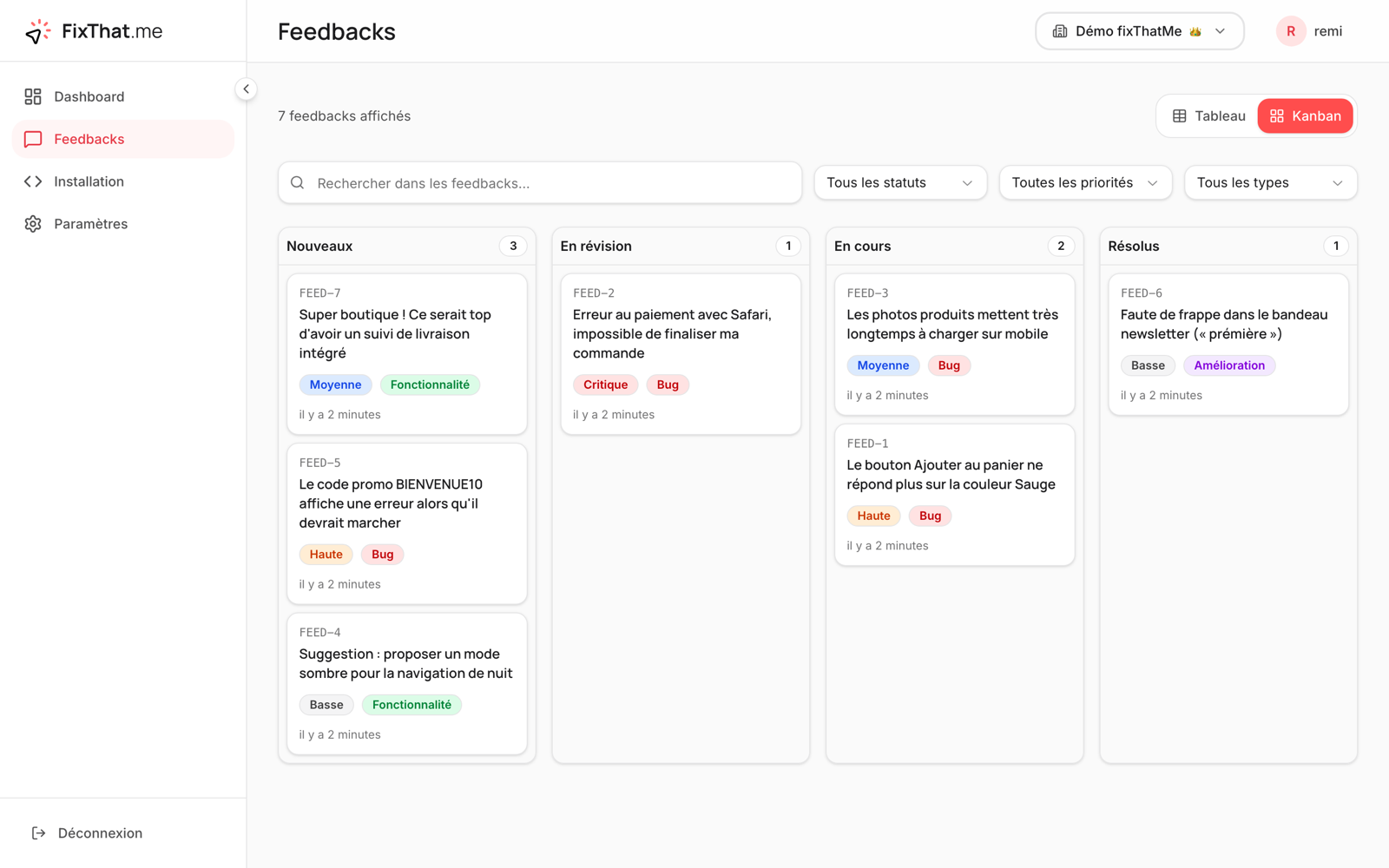
You triage in a kanban, the reporter follows progress on a public page, and — if you want — an AI agent reads the report through the API and fixes it for you. It’s free during the beta.
From report to fix
1. Report in context
A “Feedback” button on your site: the user selects the area, adds a comment, and the screenshot plus technical context are captured automatically.
2. Triage in a kanban
Statuses, priorities, labels, assignment and internal comments. List, table and kanban views.
3. Keep the reporter updated
A public tracking page and email notifications at every status change — the loop closes automatically.
4. Let an agent fix it
The REST API exposes everything in markdown, so an AI agent can diagnose, fix and close the bug.
Why teams pick fixThatMe
- A free bug reporting tool during the beta — no credit card, no seat limits.
- Every report ships with a screenshot and reproducible technical context.
- Reporters stay in the loop without an account, so nothing gets lost.
- Built for AI agents: the API and markdown docs plug straight into Claude Code or Cursor.
Comparing options? See our alternatives to Marker.io, Usersnap and BugHerd, or the website feedback widget that powers the reports.